
Claude for Creators: 5 Workflows That Ship
Get The Claude Starter System
20 prompts, skills, and guides that get finished work out of Claude. Free PDF.
Claude for creators means five specific, repeatable workflows — scripts, hooks, a repurposing engine, thumbnail briefs, and newsletters — each producing a finished draft instead of a list of vague ideas. If you make video, write a newsletter, or post daily across three platforms, the bottleneck is rarely a shortage of ideas. It is the hours between "I have a good topic" and "this is ready to publish." This guide closes that gap with copy-paste prompt templates built for creators, not developers.
Every workflow below works in the Claude app on any paid plan — no coding, no plugins. For the broader case for using Claude across a business (not just solo creator work), see our guide to Claude for business.
Why Claude fits creator work specifically
Claude holds a voice across a long conversation and a large batch of outputs, which is the exact skill creator work demands: a script, five short-form hooks, and a newsletter section that all sound like the same person wrote them. Most general AI use cases care about correctness. Creator work cares about voice, pacing, and platform fit — and that is where Claude's consistency shows up most.
The other piece is structure. Ask for "content ideas" and you get a list you still have to turn into something. Ask Claude for a script with timestamps, a hook batch scored by pattern, or a repurposing pass with platform-specific formatting rules, and you get a deliverable you can act on the same hour. For a wider survey of creator-specific use cases beyond these five, our Claude AI use cases guide covers the full range.
Here is roughly what each workflow saves, based on typical creator time-tracking:
| Workflow | Manual time | With Claude |
|---|---|---|
| Long-form video script | 2-3 hrs | 40 min |
| Hook batch (10-15 options) | 45 min | 10 min |
| Repurposing one asset into a week | 3-4 hrs | 30 min |
| Thumbnail + title brief | 30 min | 8 min |
| Newsletter issue | 1.5 hrs | 25 min |
| Total (weekly, roughly) | 8-9 hrs | ~2 hrs |
1. Scripts that sound like you, not a template
A script prompt fails the moment it produces generic YouTuber cadence — the "hey guys, welcome back" energy that sounds like nobody in particular. The fix is feeding Claude your actual talking points and a real example of your voice, then asking it to structure around your material instead of inventing its own.
You are helping me write a video script in my own voice. Do not
add generic YouTuber phrasing or filler transitions.

TOPIC: [what the video is about]
FORMAT: [talking head / voiceover / tutorial], target length [X minutes]
MY VOICE SAMPLE: [paste 2-3 paragraphs of something I've actually written or said]

MY RAW TALKING POINTS (messy is fine):
"""
[bullet points, half-thoughts, the stuff you'd say into a voice memo]
"""

Structure the script as:
1. Hook (first 10-15 seconds — no "hey guys, welcome back")
2. Setup — why this matters, stated in one clear sentence
3. Main content, broken into 3-5 sections with a clear transition line
   between each
4. A close that restates the one thing you want viewers to remember
5. CTA (natural, not salesy)

Mark suggested pauses or emphasis with [PAUSE] or [EMPHASIS].
Match the voice sample above — do not default to a generic tone.
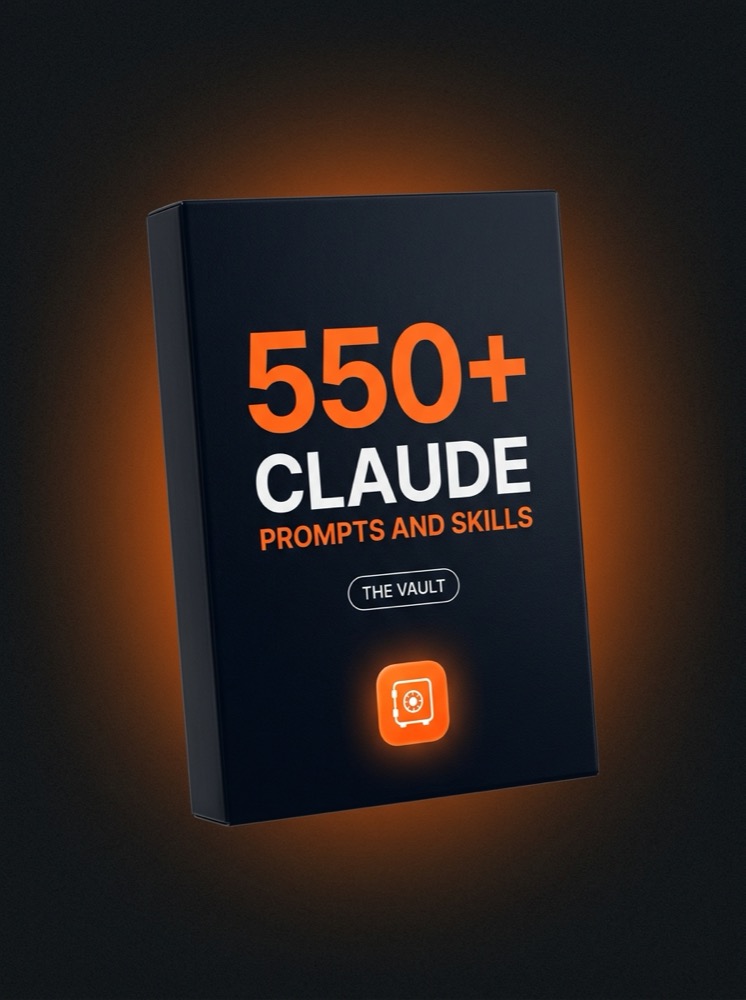
Skip writing the prompts yourself
- 500+ copy-paste prompts & workflows
- 35 installable Cowork skills
- Role packs for 6 professions
- New prompts & skills every week, forever
A 12-minute video script that used to take two to three hours of staring at a blinking cursor now takes about 40 minutes: 10 minutes to dump your talking points, 5 minutes for Claude to draft, and 25 minutes to read it out loud, tighten the phrasing, and cut anything that does not sound like you. You are still the one deciding what stays — Claude is just removing the blank-page problem.
2. Hooks that stop the scroll, tested in batches
One hook is a guess. Ten hooks across different patterns is a test. The mistake is asking for "10 hooks" with no structure — you get ten versions of the same idea. Ask Claude to work across distinct hook patterns instead, and you get real variation to test.
Write 12 hooks for a short-form video (Reels/Shorts/TikTok).

VIDEO IS ABOUT: [one-sentence summary]
AUDIENCE: [who + what they care about]
PLATFORM: [TikTok / Reels / Shorts]

Write 2 hooks for each of these 6 patterns, labeled clearly:
1. Contrarian claim ("Everyone tells you X. That's wrong.")
2. Specific number/result ("This got me 40,000 views with $0 spend.")
3. Direct callout to the viewer ("If you [specific situation], watch this.")
4. Open loop / unfinished thought
5. Mistake framing ("I wasted 6 months doing this wrong.")
6. Blunt question that assumes the answer

Rules: no question openers used as filler, no "in this video," each
hook under 12 words, first 3 words must not be throwaway.
Do not publish all 12. Post the two or three you would actually bet on, watch which pattern performs for your specific audience over a few weeks, and feed that pattern back into the next hook batch as a note ("contrarian claims outperform for my audience — weight toward those"). The prompt gets sharper every time you tell it what actually worked.
3. The repurposing engine: one asset into a week of content
A repurposing engine turns a single long-form asset — a video transcript, a podcast episode, a blog post — into a full week of platform-native content in one pass, rather than you copy-pasting the same paragraph into five apps. The key is telling Claude the formatting rules for each platform, because a LinkedIn post and an X thread do not just differ in length — they differ in structure.
One Transcript In, a Week of Content Out
Long-form transcript or draft
Claude extracts 5-7 standalone ideas
3 Shorts hooks + outlines
1 LinkedIn post
1 X thread
1 newsletter section
You are my content repurposing engine. I'll give you one long-form
asset. Extract the strongest ideas and rebuild them per platform —
do not just copy-paste and shorten.

SOURCE ASSET (transcript, blog post, or podcast notes):
"""
[paste the full text or transcript here]
"""

STEP 1: List 5-7 standalone ideas from this asset that could each
stand alone as a piece of content. One sentence each.

STEP 2: From those ideas, produce:
- 3 short-form video hooks + a 5-beat outline for each (for Shorts/Reels/TikTok)
- 1 LinkedIn post (150-250 words, hook in line one, no hashtag spam)
- 1 X/Twitter thread (6-9 tweets, each one stands alone, numbered)
- 1 newsletter section (150 words, written for someone who already
  reads my newsletter, not a cold audience)

Each output must be reformatted for its platform's norms, not the
same paragraph resized. Keep my voice consistent across all of them.
This is the single highest-leverage workflow in this guide. A week of platform-native content that used to take three to four hours of manual copy-pasting and reformatting now takes about 30 minutes: the transcript is usually already sitting on your hard drive, so most of that time is reviewing and lightly editing Claude's output rather than writing anything from a blank page. Run this once per long-form asset and you stop treating short-form and newsletter content as separate work.
Our dedicated Claude for content creation guide goes deeper on voice-matching setup if you want Claude to hold your tone automatically across every repurposing pass instead of restating it each time.
4. Thumbnail and title briefs your editor can execute
Claude does not generate thumbnail images, but it is excellent at the brief a designer or editor actually needs: the concept, the text overlay, the facial expression, and the reasoning for why a title will or will not earn a click. This turns "make me a thumbnail" into something someone can execute without three rounds of back-and-forth.
Video summary: [2-3 sentences on what this video is about and the
outcome/payoff for the viewer]
Channel/niche: [what you make content about]

Give me:
1. 5 title options, each under 60 characters, with a one-line note
   on what curiosity gap or promise each one uses
2. 3 thumbnail concepts. For each: the main visual, the facial
   expression (if a face is used), 3-5 words max of text overlay,
   and the contrast/color note that would make it stand out in a
   feed of similar thumbnails
3. Flag which title + thumbnail pairing you'd test first, and why

Do not suggest clickbait that oversells what's actually in the video
— the title and thumbnail need to match the payoff.
Hand this brief directly to a thumbnail designer or a template tool and they can execute it without a call. If you design your own thumbnails, it still saves the 15-20 minutes most creators spend staring at a blank canvas trying to decide what the thumbnail should even say.
5. A newsletter that does not feel like an afterthought
Most creator newsletters are either rushed link dumps or abandoned after three issues because writing one from scratch every week is tedious. Feed Claude your raw notes and this week's links, and it will draft a structured issue you edit instead of write.
Write this week's newsletter issue. Use my voice from the sample
below — do not default to generic "newsletter voice."

VOICE SAMPLE: [paste a past issue or writing sample]
THIS WEEK'S RAW NOTES:
"""
[what happened, what you made, what you learned — messy bullet
points are fine]
"""
LINKS/RESOURCES TO INCLUDE: [list them with one-line context each]

Structure:
1. Opening (2-3 sentences, personal, not corporate — what's on your
   mind this week)
2. Main section: the single most useful thing you have to share,
   explained like you're telling a friend, not writing a press release
3. Quick hits: 3-5 links or resources with one sentence of context each
4. Close with a specific, low-friction ask (reply, one-click poll,
   or a link — not "let me know what you think" as filler)

Length: 400-600 words. Subject line: give me 3 options.
A newsletter issue that used to take an hour and a half — usually because you kept rewriting the opening line — now takes about 25 minutes, most of it spent adding the specific personal detail or joke only you would know to include. That small addition is what keeps a Claude draft from reading like a template, and it takes far less time than writing the whole issue from nothing.
Want the workflows built for you and updated weekly?
- 1,300+ non-technical professionals learning together
- Claude, Claude Cowork & Claude Code training
- The full 550+ prompt & skill Vault included with Premium
- A weekly live call to get unstuck
Repeating a voice across every platform, not just one post
The hardest part of a creator workflow is not any single piece of content — it is keeping your voice consistent across a script, a newsletter, and five short-form hooks written in the same sitting. A Claude Project, loaded with a few real samples of your writing or past scripts, holds that voice across every conversation so you stop re-explaining your tone every time you open a new chat.
If your distribution already leans on LinkedIn as a channel, our Claude LinkedIn skill guide covers a reusable skill that formats posts to that platform's norms automatically, which pairs directly with the repurposing engine above.
Where to start this week
Pick the workflow that eats the most of your week — for most creators making video, that is either the script or the repurposing engine — and run its prompt on your next piece of content today. Ship the first draft with light edits in your own voice rather than rewriting from scratch. Once you feel the difference between staring at a blank page and editing a finished draft, the other four workflows fall into place fast.
For the prompting fundamentals underneath all five workflows, read our Claude prompting guide.
Frequently asked questions
Can Claude actually write in my voice, or does it sound generic?
Claude matches voice well when you give it real material to match — a past script, a newsletter issue, or a paragraph of your own writing pasted directly into the prompt. Ask for "my voice" with no sample and you will get a generic approximation. Paste an actual example every time, or set one up once inside a Claude Project so you stop re-pasting it.
Does Claude generate the actual thumbnail image?
No. Claude writes the concept brief — the visual idea, the text overlay, the expression, and the reasoning behind the choice — which you or a designer then execute in a design tool. It replaces the blank-page problem of deciding what a thumbnail should say, not the image generation itself.
How do I keep five different outputs from sounding inconsistent?
Run them in the same conversation or the same Claude Project rather than five separate fresh chats, and give Claude one real voice sample up front. Consistency comes from shared context, not from asking harder in each individual prompt.
Do these workflows work for written creators, not just video?
Yes. Swap "video script" for "blog post" or "essay" and the repurposing engine, hooks, and newsletter prompts work exactly the same way — the source asset changes, the platform-native outputs and formatting rules do not.
Join the Academy
1,300+ professionals, the courses, the full Vault, and a weekly live call.
Join the AcademyGrab the playbook
The Claude Starter System — free PDF to your inbox.